|
|
|
|
Common Components Help | AEF Help |
Listing Route Template Members
You can list the members included in any route template that is listed on your Route Templates page. Template accesses can be changed only by creating a new revision of the template.
To list members in a route template
- From the global toolbar, click My Desk>Routes>Route Templates.
- From the Route Templates page, click the Name of the template you want to work with.
- From the category list for the template, click Access.
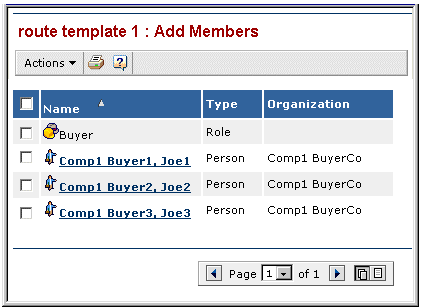
The Access page opens, listing all members saved with the template. Since route access levels are not saved with the template, the access levels are not listed.
Name--The name of the person, group or role included in the route template.
Type--Distinguishes between people added individually, groups, and roles.
Organization--The organization the person belongs to. This is blank for groups and roles.
|
|
|
|
| Last updated: 04/20/04 14:50:42 |