|
|
|
|
Common Components Help | AEF Help |
Application Window and PowerView
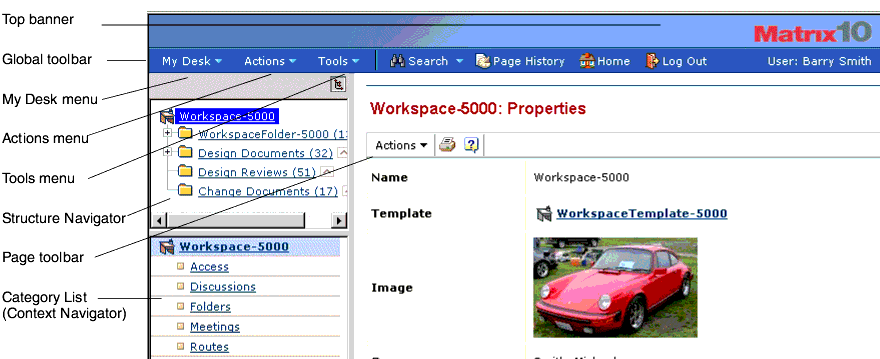
Shown below is a typical application window within Team Central.
For details about working with the controls and features in the application window, see "Overview of the MatrixOne Applications Window" in the AEF User Guide.
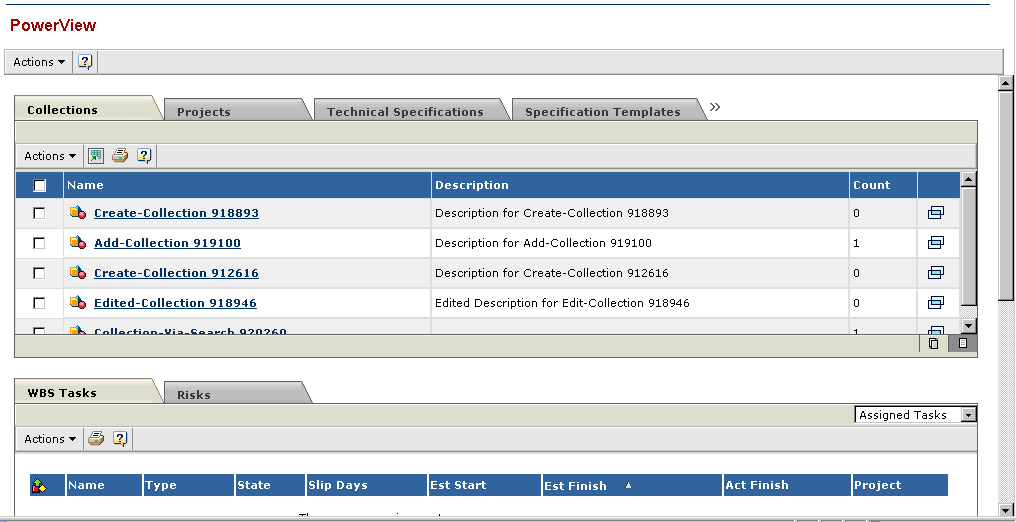
If PowerView is configured for Team Central, clicking Tools > PowerView displays the desktop PowerView page, which provides direct access to items that are frequently used in MatrixOne applications. The PowerView is configurable by your Matrix Business Administrator, so you may see different information than what is shown below, especially if you use Team Central with other MatrixOne applications.
For details, see "Using Desktop PowerView" in the AEF User Guide.
|
|
|
|
| Last updated: 03/30/04 13:47:18 |