Sorting Tables
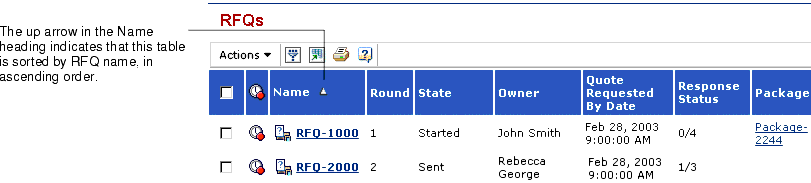
The arrow to the right of a column heading name indicates which column the table is currently sorted on. If the arrow points up, the sort is in ascending order, a to z or 1 to n. If the arrow points down, the sort is descending, z to a or n to 1.
You can change how the rows in a table are sorted by clicking the column heading for the column you want to sort the rows by. The first time you click a heading, the rows are sorted in ascending order. To sort by descending order, click the column heading again. When you sort a table, the system always returns you to the first page of the table.
|
! |
Tables cannot be sorted by columns that contain data that you can edit on that page.
|